

Figma plus Siter.io Figma plus Siter.io

From Figma to Live HTML Website

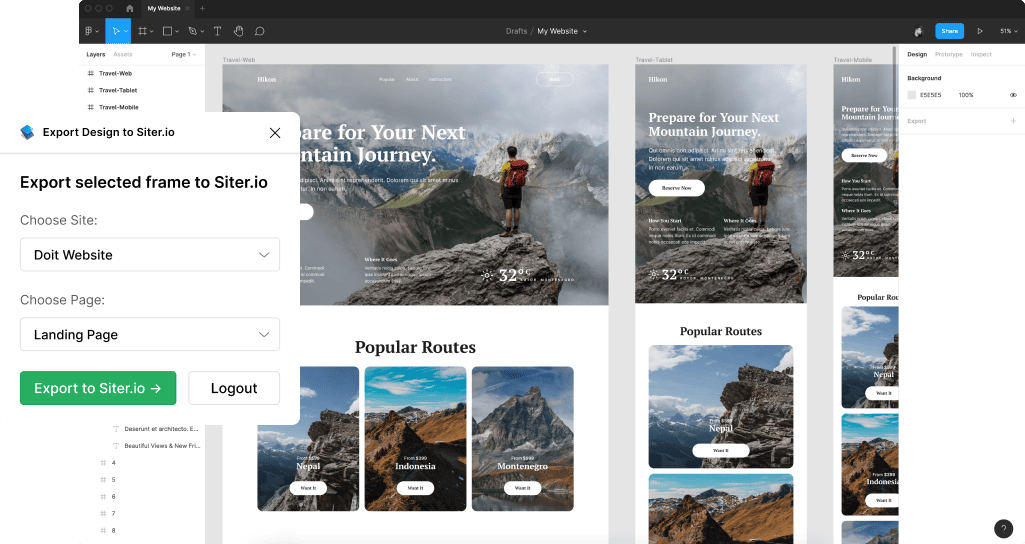
Convert your Figma design to HTML website with the Figma to Siter.io plugin - without coding.

Get the Siter.io Plugin ↗
Avatars

Made for designers who already work in Figma

Video preview
  • Magic in seconds.

    Export your designs just in seconds and make it live fast with next simple steps.

    1. Prepare designs for export.

    2. Use Siter plugin.

    3. Make your website live.

  • Magic in seconds

Who is it made for?

We created the “Figma to HTML” plugin for everyone who wants to convert ready-made designs to live websites. This way, they can spend less time and money to launch or grow what they need.

  • Developers

    Save time on the coding process and launch your product as soon as possible for yourself or your customers.

  • Designers

    Launch or test your unique website ideas without overspending on hiring a specific developer to code your Figma design.

  • Entrepreneurs

    Expand your business aspirations and begin earning money from your products through the website quickly and easily.

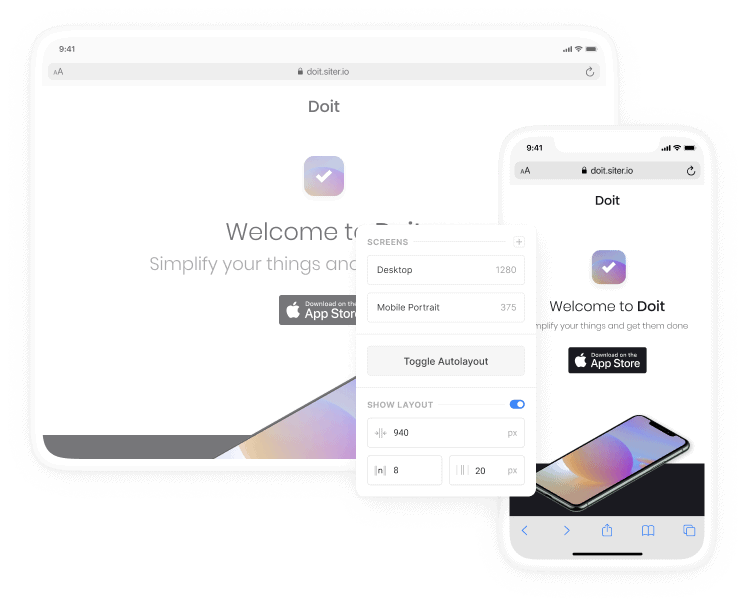
  • Easy responsive.

    Save even more time creating responsive websites by exporting Figma designs with Auto Layout to HTML without coding.

    Web

    Tablet & Mobile

    Get plugin ->

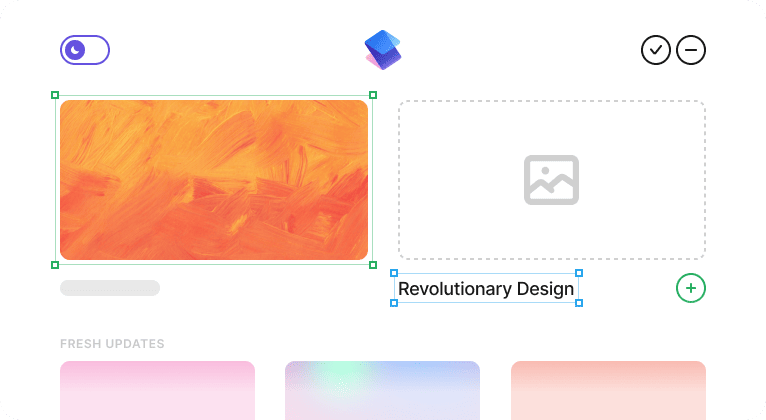
Each element on the board.

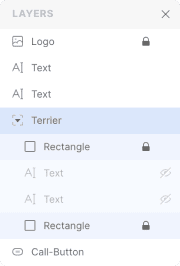
The Siter.io plugin brings your text, images, vectors, groups and auto-layout structure across as editable elements, not as a flattened picture. Prototype animations and interactions are the exception, and are rebuilt on the canvas.

Video

Video

Button

Button

Text

Text

Group

Group

Autolayout

Auto Layout

Rectangle

Rectangle

Image

Image

Icon

Icon

Try our editor and find out what is better for you.

Get started ->

Community loves it!

From designers to developers, from entrepreneurs to local business - all of those who faced our product, recommend it and it is our goal.

Elite Customer Service / Professionalism

The team at Siter are prompt and helpful — made the process of building and having the site go live much easier.

JB

★★★★★

Jack BarnaUS

The Figma plugin integration is genius! Exporting designs into live websites effortlessly is a dream come true. The platform's commitment to a true no-code experience makes it a staple in my design toolkit.

LW

★★★★★

Laura WhiteUS

Great support from the agents at siter.io

They walked me through the process of solving my issue very quickly and were also patient. I highly recommend their service because their website builder is easy to navigate unlike other website builders.

A

★★★★★

AbiodunGB

Really great nocode platform

Its really easy to use and someone who doesn't have strong technical skills was able to achieve my vision for my website with ease.

AG

★★★★★

Adam GGB

I find siter.io easy to launch a website just with Figma design. I am not software developer but I can manage my simple website at ease. Any changes I want I can do it pretty easily

SM

★★★★★

Siva MokkapatiSE

A+ tool especially for graphics designers

As a designer I am really enjoying Siter.io. It's easy, fast, and institutive. I was able to put up a pretty impressive website in one day. Customer service is also very responsive. Thanks for this amazing tool!

S

★★★★★

seanUS

The technical support was amazing, they guided me to customize my domain step by step. I had no knowledge of domains or websites before but Siter changed my life! they also give designers the best opportunity to create web pages without coding.

MM

★★★★★

Maggi MarinRS

This is so much more intuitive than other web builders, especially for designers and people used to tools like Figma. I particularly appreciate their new Figma plugin that makes it all that much faster and straightforward. It is a young product but the team is extremely dedicated and the support team is so helpful. They really go above and beyond to assist and help with whatever issues you might have.

MK

★★★★★

Marie KvicalovaGB

A multi-layered product that allows you to go as deep as you wish as UI and UX designer. I've designed and released simple sites on Siter in a day, while I've spent weeks for others.

My Pros:

- Full control over how your site appears on desktop and mobile.

- Responsive from the box.

- Always up to date.

V

★★★★★

VasilUS

Fantastic process from prototyping to execution ! Siter is an elite tool with fantastic customer service and interface.

JB

★★★★★

Jack BarnaUS

The founder is an ambitious, hardworking person who cares about his early adopters and community. The site maker is super easy to work with, and the support is there when you need them.

PR

★★★★★

Prince RumiUS

  • Implement updates in one place.

    With Siter, you don’t have to fix or change issues in Figma and export again. Just do it right in builder with powerful features!

  • Domains

    Set the domain you own for your pages, or don’t. We provide a free domain, so you can distribute any info in your way.

    Intuitive interface

    Connect a code

    Have a embed code you like to add, whether it’s a tweet, directions to your restaurant, or a comments section.

    Embed Unsplash Integration

Even in collaboration.

Add your teammates to Siter and collaborate on designs exported from Figma directly in your account.

  • Development Siter Development Siter Development Siter
    Play

    Button

    Developer Siter

    Victor

    I make some design changes and you text.

    Developer Siter

    Nadja

    Sure! Let’s do it and invite our client now.

What comes across, and what does not.

No tool turns an arbitrary Figma file into a finished website in one click, and this one is not an exception. Here is the honest version, so nothing is a surprise after you install.

  • Comes across

    Text, images, vectors, groups and auto-layout structure, as editable elements on the canvas rather than a flattened picture. You keep working on them, you do not redraw them.

  • Does not come across

    Prototype animations and interactions do not import. Anything moving is rebuilt on the Siter.io canvas, where the animation tools live.

  • Only travels once

    The import is one-way and there is no re-sync, so later edits in Figma do not flow through to a site you have already brought over.

Frequently asked.

Is the Figma to HTML plugin free?

Yes. The plugin is free from the Figma Community and the import works on every Siter.io plan, including the free one. What costs money is publishing to your own domain, which starts at $7 a month billed yearly.

Can Figma export to HTML?

Figma has no built-in HTML export. The plugin sends a selected frame to a Siter.io canvas, where you finish it and publish it as real HTML pages. On the Pro plan you can also download the HTML, though what the archive contains is not documented.

Does the design come across pixel-perfect?

The layout, text, images and vectors come across as editable elements, and auto-layout structure carries. You then set the three breakpoints yourself, because a single Figma frame does not describe how it should behave at other widths.

Do I need to know how to code?

No. The canvas works like a design tool. There is no class system to learn and no deployment step, which is the whole reason this exists rather than a code export.

What about a blog or a shop?

Neither exists in Siter.io. There is no CMS, no collections and no e-commerce, and e-commerce is listed as upcoming with no date. If your site needs either, a bigger tool is the right answer and our comparison pages say so plainly.

How does this compare with Framer, Webflow or Figma Sites?

Each one is written up separately, including where they beat us. Start with Framer, Webflow or Figma Make, or read how the Figma to Webflow route works if you have already chosen Webflow.

  • Figma plus Siter.io

    Make your dream real.

    Start using siter.io right now, free. We are truly excited about you using this tool. We’ve baked a digital pie 🥧 for you with all the heart.

    Get plugin ->
  • Start for free with siter.io

    Start for free ->
Hey there 👋  Friends from designmodo are here to help!