Tabs, toggles and a marquee for your website
Let visitors switch between menus, plans or projects in one spot, and run a strip of words or logos across the page. Set them in one panel and publish, no code or plugin.

More on the page, less scrolling.
-
A toggle in one click
A new Tabs & toggle starts as a Monthly and Yearly toggle, and each side shows its own group of the page.
-
Tabs for anything that stacks
Lunch and dinner menus, plans, rooms or case studies share one spot, and visitors pick the one they want.
6 tabs on one bar, at most
- Lunch
- Dinner
- Wine
- Desserts
- Drinks
- Private dining
-
A strip that never ends
Words or logos run sideways at the speed you set, stop under the mouse, and fade out at the edges.
Every tab in one panel.
Select the tabs and their panel holds the whole thing: the kind, the style, each tab's label and the part of the page it shows.
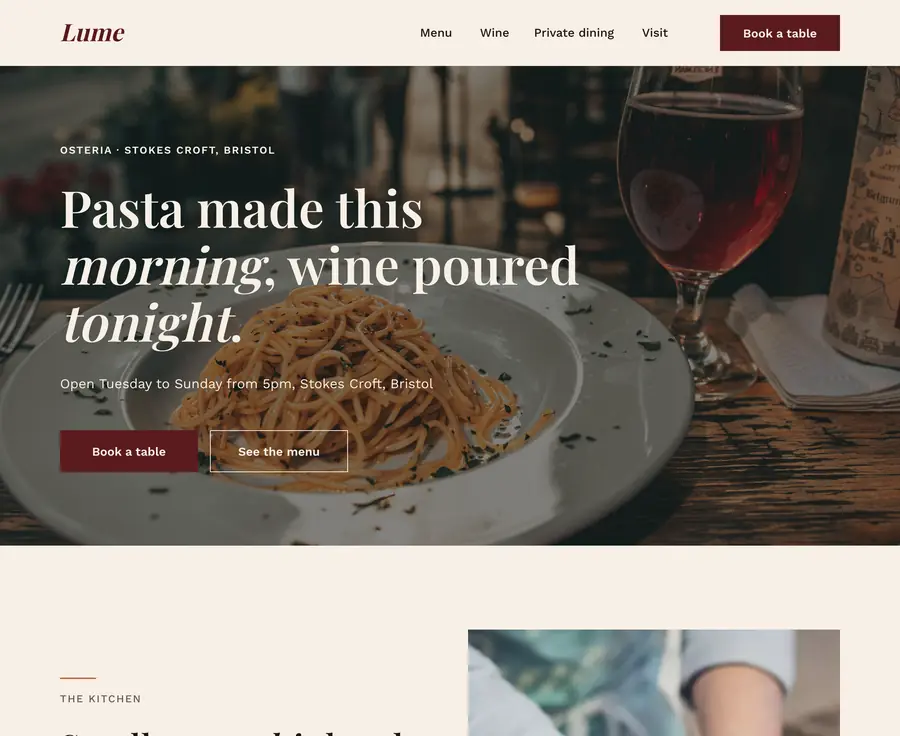
Toggle or Tabs
Two states that flip, or two to six tabs. Switch between them and the states you made stay.
Pill or Underline
Tabs sit on a rounded bar or over a line, in your fonts and colors.
States and the groups they show
Name each tab and pick the group of the page it shows. The eye shows that state on the canvas while you edit it.
The first state shows on load
Stack one group per state on the same spot, and visitors see the first one until they choose.
And the rest of the kit.
-
Countdown
A live timer to a sale, a launch or an event, ending at the same moment for every visitor. See the countdown.
-
Accordion
Questions that open when someone clicks them, for an FAQ or a long list of details.
-
Sticky headers
A header that hides on scroll down or changes after scrolling, set in the Animations panel. See scroll motion.
On the page in three steps.
-
Add it from the toolbar
Pick Tabs & toggle or Marquee in the left toolbar and place it on the page.
-
Point it at your content
Give each tab the group it shows, or type the marquee's words and add your logos.
-
Style it and publish
Set the labels' font, the bar and the chosen tab, or the marquee's speed and direction, then publish.
Frequently asked.
How do I add tabs to my website?
Pick Tabs & toggle in the editor's left toolbar, switch it to Tabs, and give each tab a label and the group of the page it shows. Stack the groups on the same spot, and the first tab shows when the page loads.
Can I make a Monthly / Yearly pricing toggle?
Yes. A new Tabs & toggle starts as exactly that, a Monthly and Yearly toggle. Point each side at the group that holds its prices.
How many tabs can one element hold?
Up to six, on a rounded Pill bar or underlined. A toggle always has two states.
Can a marquee show logos?
Yes. Add words with + Text or your site's images with + Image, each with its alt text, up to 30 items, with a dot, a slash or a character of your own between them.
What do visitors who prefer less motion see?
The marquee stands still for them, and they can scroll it by hand. Tabs and toggles do not move, so they need no such setting.
Can Siter AI add them for me?
Yes. Ask for tabs, a pricing toggle, a marquee or a countdown and it builds one on the page, ready to edit like anything you placed yourself.
More of what the editor does
- Custom domains Point a domain you own at the site, with HTTPS issued automatically, in every paid plan at no extra cost.
- Hosting and SSL No separate host to buy, no certificate to renew. It is part of the plan.
- HTML download Take a copy of a page and host it elsewhere. On Pro, and honest about the limits.
- Forms Design a form on the canvas and get the answers in your inbox.
- Custom fonts Upload the font files the design was made with, on every plan including free.
- Responsive design A layout for each breakpoint, custom widths included, laid out by you rather than guessed by the tool.
- SEO settings Per-page title, description and slug, plus custom meta tags in the head.
- Teams and roles Admin and Member roles on paid plans, with editor seats included and counted per website.
- Website analytics See visitors and top pages for every published site, plus sources, countries and devices on paid plans, with no cookies and no personal data.
- Animations Appear, loop and scroll motion, sticky headers, hover states and custom keyframes, set per element and previewed on the canvas.
- File hosting Upload PDFs, documents, audio and video and link to them from any button, image or line of text.
- Version history Restore any page from the last 30 days, and bring back deleted pages and websites within 14.
- Visual editor A free-form canvas with layers, auto layout, components and hover states, closer to a design tool than a block builder.
- Popups Open a popup from any button with Open overlay, or link it to a page, a section, a file, an email or a phone call.
- Countdown A live countdown to a sale, a launch or an event, and numbers that count up as visitors scroll to them.
- Custom code Head code for the whole website or one page, and a Code element for embeds on the canvas.
- Images An image library for each website with folders and Unsplash search, plus an editor that crops, rotates and adjusts.
- Integrations Zapier for form responses, reCAPTCHA, Google Analytics, Facebook Pixel, video, fonts, Figma and any embed snippet.

Give the page something
to play with.
Add Tabs & toggle or a Marquee from the toolbar, point it at your content, and publish.