
To make a restaurant website, decide what visitors need to find (the menu, your hours, where you are and how to book), pick a website builder or template, put the menu on the page as text, add your hours, address and a map, give people a way to book or order, add a few honest photos, check it on a phone, and connect your own domain. A small restaurant can do all of it in a day, and most of the work is gathering what you already have: the menu, the hours and good photos.
Here is each step, and the mistakes that send hungry people to the place next door.
1 Start with what visitors are looking for
People rarely visit a restaurant website to browse. They come with one question: what do you serve, are you open, where are you, can I get a table. Your first screen should answer as many of those as it can before anyone scrolls.
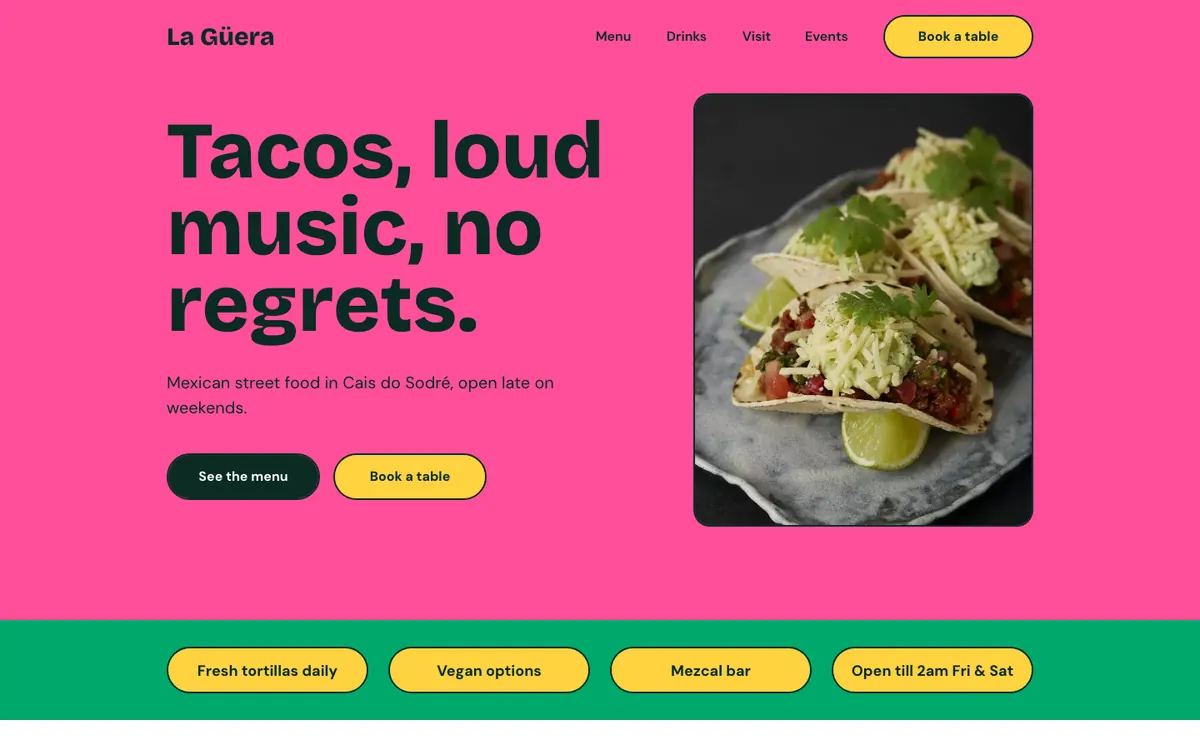
Write these down before you design anything:
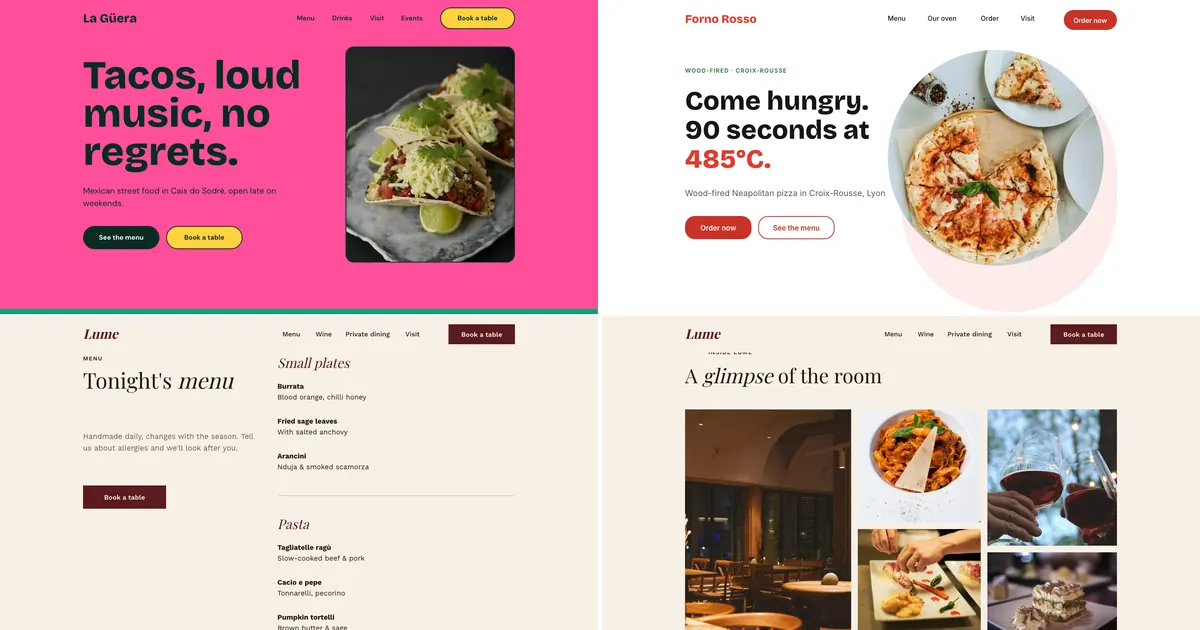
- What you serve, in one line. “Mexican street food in Cais do Sodré, open late on weekends” tells a visitor more than “Welcome to our restaurant”.
- Your opening hours, including the day you are closed.
- Your address and phone number.
- How people book or order: a booking form, a phone call, an ordering service, or walk-ins only.
Everything else on the site supports those four things.
2 Pick a name, a logo and a domain
If you are opening a new place, the name comes first, because it decides your domain. Check that the name is free as a domain and on the social networks you use before you print anything. A restaurant name generator can help you get past a blank page, and a free logo maker gives you something to put in the header while a designer works on the real one.
Use your own domain, like yourrestaurant.com, rather than an address on someone else’s. It looks more trustworthy on a menu card and it stays yours if you ever change website builders. Most builders let you connect a custom domain in a few minutes.
3 Choose how to build it
You have three realistic options:
- A website builder with restaurant templates. The fastest route for most restaurants. You pick a design made for food and drink, replace the text and photos, and publish.
- Your ordering or reservations provider’s own site builder. Convenient if you already pay for one, but the design options are usually narrow and the site is tied to that service.
- A designer or developer. The best result if you have a budget and a clear brief, and still worth building on a tool you can update yourself.
Whichever you choose, make sure you can change the menu and hours yourself, on a Sunday night, without calling anyone.
4 Put the menu on the page, as text
This is the most common mistake restaurant websites make: the menu is a PDF, or a photo of the printed menu. A PDF is slow to open on a phone, hard to read without zooming, invisible to most search results, and usually out of date because it is a hassle to replace.
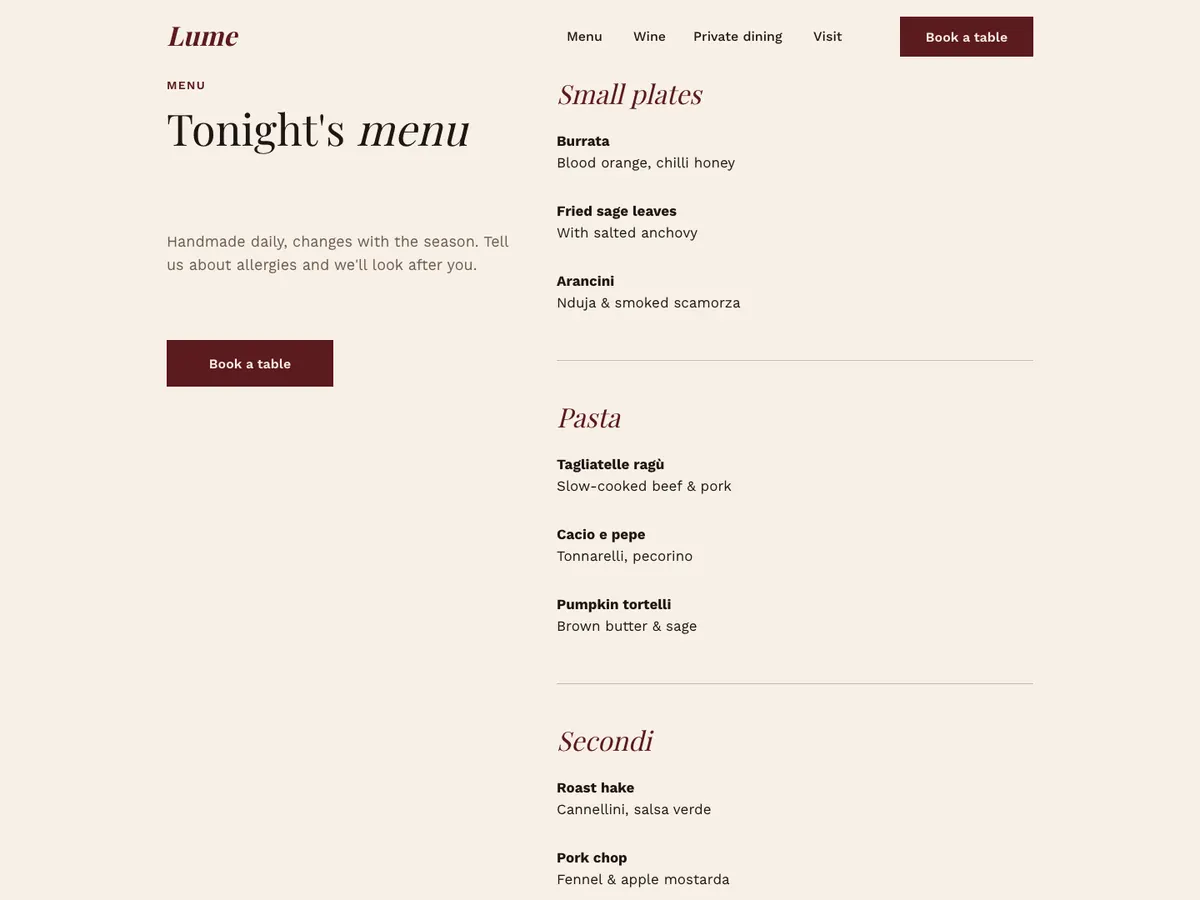
Put the menu on the page as real text instead:
- Group dishes the way your printed menu does: starters, mains, desserts, drinks.
- Give each dish a name and one short line about it.
- Mark vegetarian, vegan and gluten-free dishes, and say how to ask about allergies.
- If the menu changes daily or weekly, say so, and show today’s or this week’s.
A menu as text can also be found in search. Someone searching for “cacio e pepe near me” can land on your menu, not on a delivery app.
5 Make your hours, address and phone number easy to find
Put them on the page, not only in the footer, and repeat them in the footer as well. Show the hours as a short table, one row per day or group of days, and make the phone number a link so a tap on a phone starts the call.
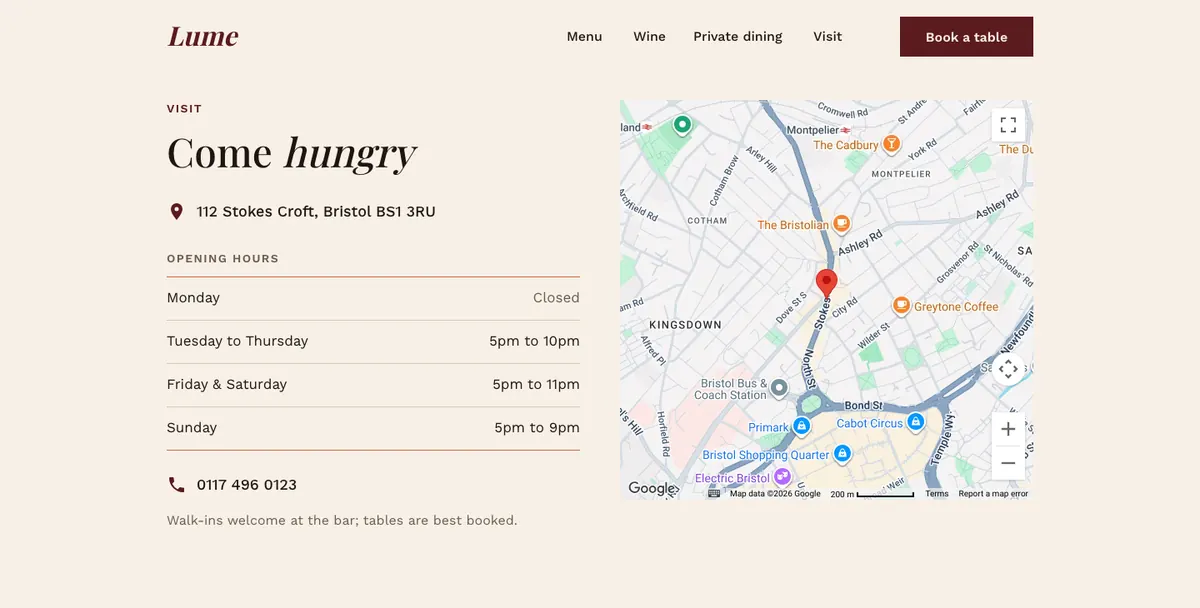
A map helps people who are on their way. Add a line about anything a map cannot show: the entrance is around the corner, there is parking behind the building, the terrace closes when it rains.
Keep these details the same everywhere. If your website, your Google Business Profile and your social pages show different hours, people will believe the wrong one, and search engines trust all of them a little less.
6 Give people a way to book or order
Decide what the booking button does, then make it the main button on every page.
- Bookings by phone: make the button a tap-to-call link.
- A booking request form: ask for the day, the time, the number of guests and a phone number, and say how quickly you will confirm.
- A reservations service: link the button straight to your booking page with that service.
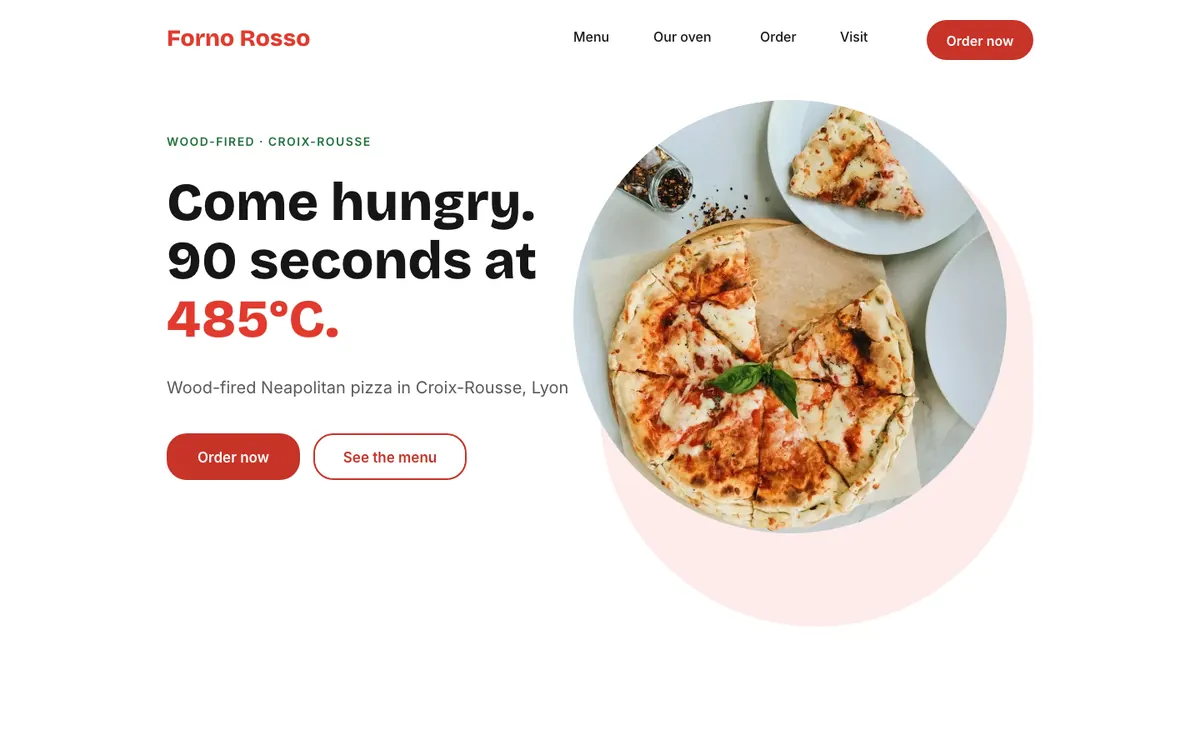
If you offer takeaway or delivery, link to the ordering page you already use. You do not need ordering built into the website itself for people to find it; you need the button to be obvious.
7 Use a few photos, and make them honest
Photos do more selling than any sentence on a restaurant website, but only if they look like the real thing. Six good photos beat thirty average ones.
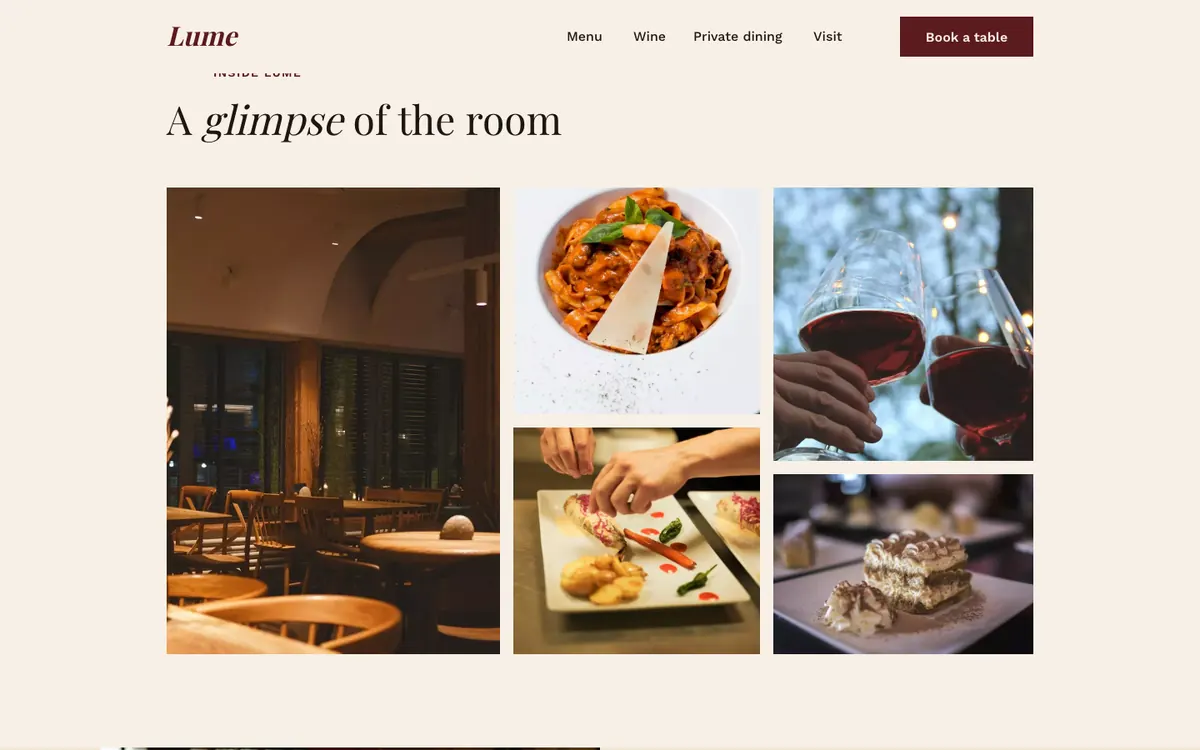
- Show the room as well as the food, so people know what kind of evening to expect.
- Shoot in daylight, near a window, with nothing distracting in the background.
- Avoid stock photos of food you do not serve. Diners notice, and they feel misled when they arrive.
- Resize photos before you upload them. Large images are the main reason restaurant sites load slowly on phones.
8 Check it on a phone, then publish
Most people will see your website on a phone, often outside, often in a hurry. Before you publish, open every page on your own phone and check:
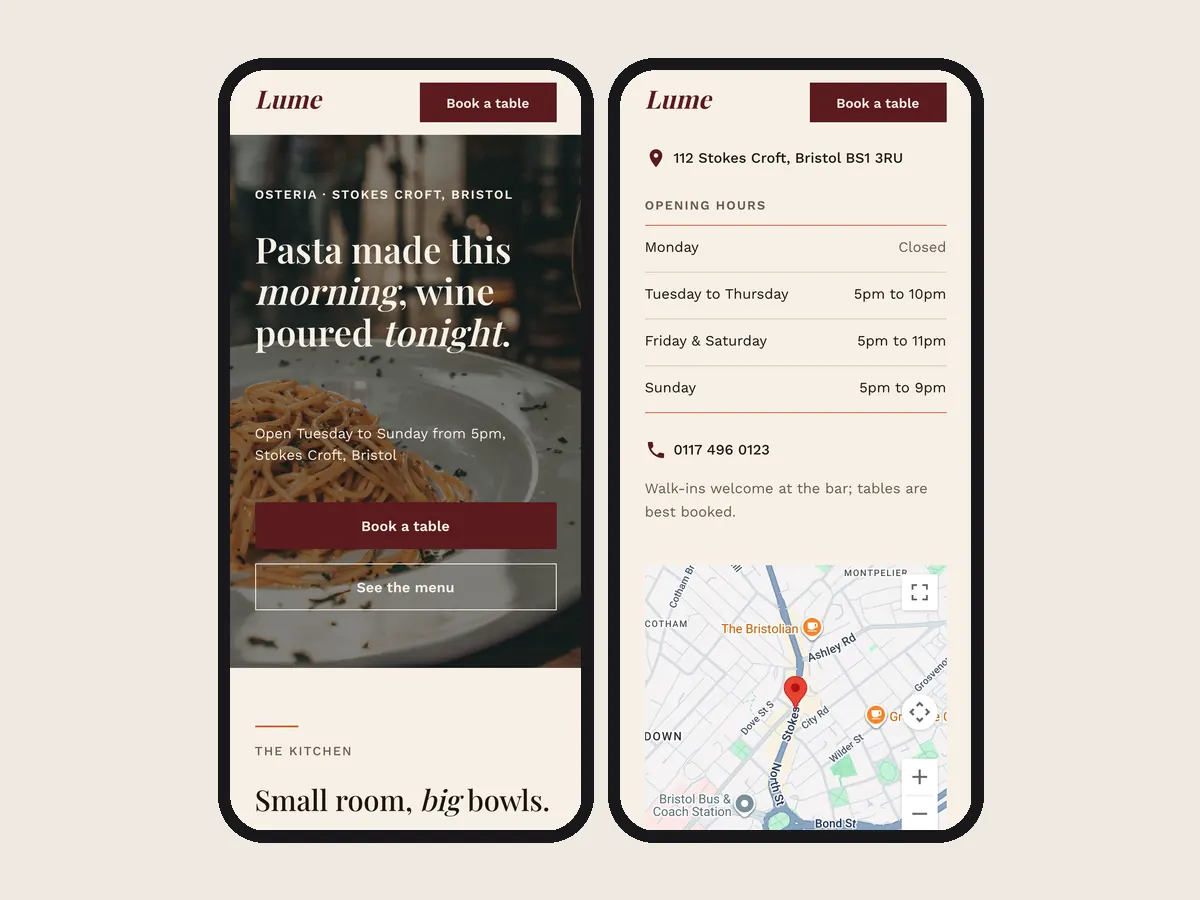
- The hours, address and booking button are reachable without hunting.
- The phone number starts a call when tapped.
- The menu reads without zooming, and nothing runs off the side of the screen.
- Pages open quickly on mobile data, not only on your wifi.
A responsive layout does most of this for you, but only a real phone tells you how it feels.
When you publish, give each page a clear title, such as “Lume, Italian restaurant in Bristol” and “Menu, Lume Bristol”, and a short description. Those are what search results show. The basics of website SEO are worth an hour of your time, and the single biggest step for a local restaurant is a complete Google Business Profile that links to your new site.
Keep it up to date
A restaurant website is never finished. Put a reminder in your calendar to check it whenever something changes: a new season’s menu, holiday hours, a new phone number, a closed day. An out of date menu or the wrong opening hours cost you more than having a plain website.
Building it in Siter.io
If you want to try this without code, Siter.io has restaurant website templates for restaurants, cafes, bars and bakeries, the same designs shown in this post. You change the menu, photos and colors on a free canvas, check the phone layout, and publish on your own domain. A booking request form can sit on the page and send each request to your email. It is a request, not a confirmed booking, and Siter.io has no online ordering, so the Order button links to the service you already use.